
Deck preparation & management
Adding item levels
When resolving add item level 2 or add item level 3 effects:
- Remove cards — remove half of the existing cards from all item-type decks.
- Add new items — shuffle all the new item cards of the indicated level into their corresponding item-type decks.
Increasing monster level
When monster threat increases on the last position (arrow pointing upwards):
- Shuffle the monster deck — shuffle the current monster deck together with the destroyed monster cards.
- Remove cards — remove half of the cards from the deck.
- Add new monsters — shuffle the new monster cards of the corresponding level into the deck.
Updated action spaces
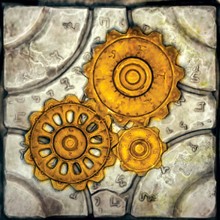
Recharge station
- Roll and resolve the recharge die.
- Trade with any explorer adjacent to either a recharge station (including the activated one) or a workbench, on any map tile.
- Resolve use inventory.
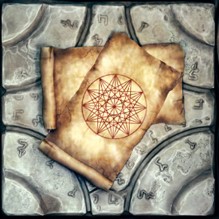
Event space
Explorers can now spend 2 stamina to activate an event space — either to restore 1 essence and invoke an explorer event, or to attempt to reduce monster threat by rolling a die.
Activate an adjacent event space for 2 stamina to either:
- restore 1 essence and invoke an explorer event.
Or:
- roll a game die;
- if the roll is equal to or higher than the current horror rating: reduce monster threat by 1;
- otherwise: reinvoke a horror event.
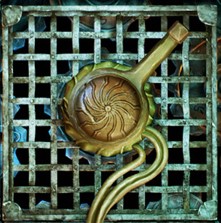
Trap lever
No changes — attack all units on top of trapped spaces on the activating unit’s map tile for 3 high attack dice. If there is no activating unit (for example, when a horror event invokes it), attack units on trapped spaces on all map tiles instead.
Then, for each other explorer adjacent to a trap lever on any map tile, that explorer attacks all units on trapped spaces on their map tile with 3 low attack dice.
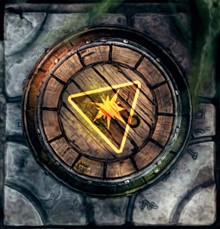
Exploding barrel
If a barrel is hit by an arcane attack, the explosion also counts as an arcane attack.
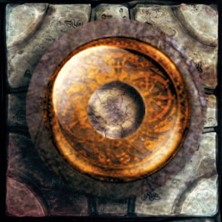
Chapter space
Units on a map tile with a lit chapter space can target ethereal units.
Game die
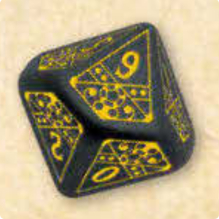
The game die is numbered 0–9.
A roll of 0 counts as 0, not 10.
FAQ
Recharge station
You may trade with any explorer adjacent to either a recharge station or a workbench, on any map tile — and this includes the recharge station that was just activated.
Per the inventory-effect rules, you can resolve a use inventory effect on an adjacent explorer instead, but not on the explorer you traded with if they aren’t adjacent to you.
Trigger traps
Q: Can the secondary 3-low-dice attack trigger if another explorer is adjacent to the same trap lever that was just activated?
A: Yes — this includes the trap lever that was just activated (“for each other explorer that is adjacent to a trap lever on any map tile”).
Example. Explorers A and B are both adjacent to the same trap lever on map tile X. Explorer C is on map tile Y, adjacent to a different trap lever. Explorer A activates the trap lever:
- All units on map tile X’s trapped spaces are attacked with 3 high attack dice.
- Because Explorer B is adjacent to a trap lever, B attacks all units on X’s trapped spaces with 3 low attack dice.
- Because Explorer C is adjacent to a trap lever, C attacks all units on Y’s trapped spaces with 3 low attack dice.
- Place a destroyed token only on top of the activated trap lever (map tile X).
- A trap lever with a destroyed token on top no longer counts as a trap lever for this rule.
- Don’t forget that explorers A, B, and C can increase their attack rolls by losing essence.
- Pro tip: contributing explorers.
Compatibility with other editions
These rules are fully backward-compatible with every edition of Machina Arcana, and with every published scenario.